
LaserCalc Mobile
Scan the room. Get the load.
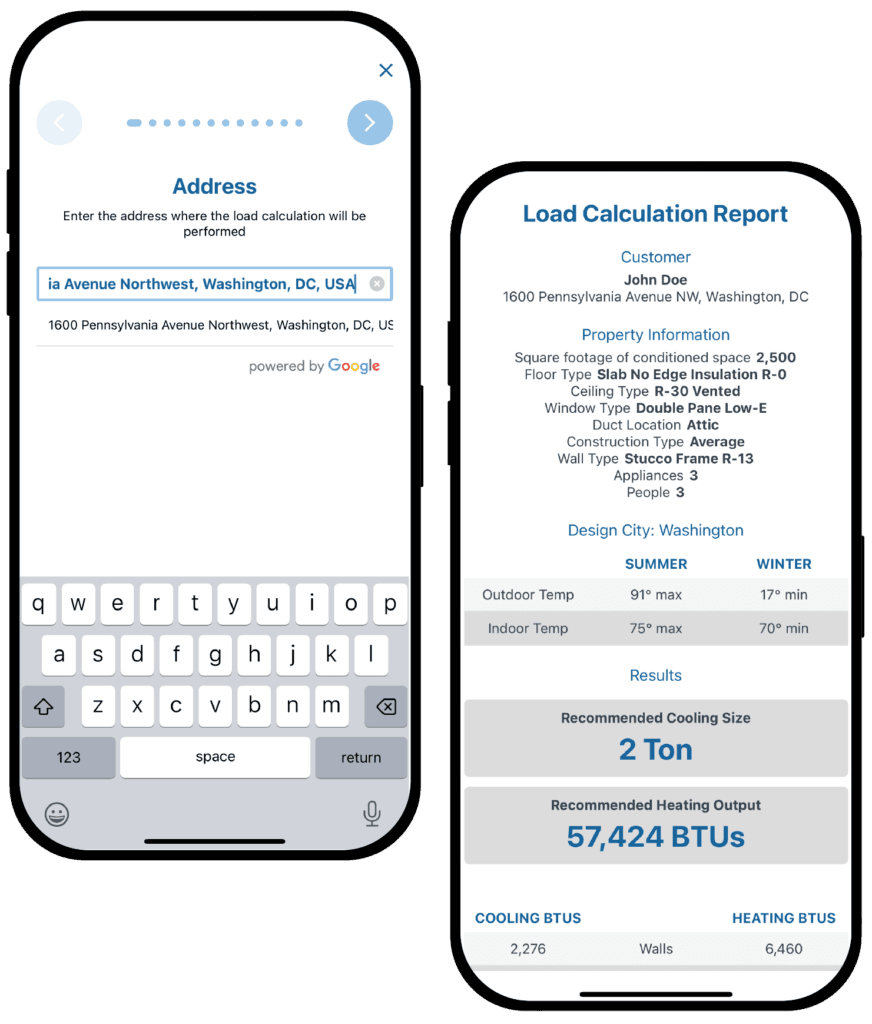
Point your phone at a room and LaserCalc Mobile finds the walls, the windows and the doors, then gives you a heating and cooling load for every room in the house. No depth sensor? Measure with the camera, or key it in. The sizing flows straight into the AirMatch proposal.


Field-ready
Sized before you quote it.
A load per room is what tells you how many zones the house needs and where the equipment goes. LaserCalc Mobile produces it during the visit, not back at the office from memory.
Room by room, not one number for the house
Every room gets its own heating and cooling load, which is how you decide zone counts and where the equipment actually goes, and how you size trunks, branches and registers on a ducted system instead of balancing by ear afterwards.
2,740 weather stations
Full 2025 ASHRAE climate data, up from 861 stations. Design highs and lows preview in the picker, so you can see you have the right one before choosing it.
More of the house accounted for
Number of floors and mechanical ventilation feed the calculation directly, so stack effect and outdoor air load stop being things you adjust for by feel. Included on every plan, not just Pro.
A report worth handing over
One tap produces a clean report with the room-by-room breakdown, for the homeowner and for permitting, attached to the proposal instead of lost in a camera roll.
Walkthrough
Watch a room get scanned.
3 minutes, no signup. The video loads only when you press play.
Three ways to measure
Whatever is in your tech's pocket.
Not every phone has a depth sensor, and no crew replaces its handsets because a calculator asked them to.
Will it work on my phone?
LiDAR scanning needs the depth sensor built into iPhone Pro and iPad Pro models. Everything else, camera measuring, manual entry, room-by-room loads and the full report, runs on any iPhone, iPad or Android device.
Scan it
Point a LiDAR phone or tablet at the room. Rooms, windows and doors are detected automatically, and the app names the room from what is in it, so you can keep that name, pick from a list, or type your own. It also records which direction every window faces, so solar gain is calculated from the orientation the house actually has rather than one somebody guessed at on a clipboard.
Measure it with the camera
No depth sensor? Walk the room marking the corners with the camera. Same result, on hardware your team already carries.
Or key it in
Rooms named from a built-in list, repeats numbered for you, and duplication so the second bedroom is not typed out field by field.
Capture

Scan, measure or key in every room during the in-home visit. Windows go in the way you measure them: width, height and a count.
Review
Check the 3D floorplan before you leave. Anything thin gets a sensible estimate and a visible warning, never a quiet guess.
Continue
The sizing flows into the AirMatch proposal, and the sold job flows into scheduling and dispatch.
LaserCalc Mobile Pro
Scanning and room-by-room, $49.99.
The standard app still does a whole-house block load, and still will. Pro is for the jobs where the room matters: multi-zone, ductless, additions, anywhere one number for the house does not tell you enough.
Unlimited load calcs on both plans. Run as many as the job takes. There is no per-calculation charge and no monthly cap, on Free or on Pro.
The whole app runs in Spanish, picked up from the device language with a manual override in settings, and the load calculation report prints in Spanish too, so the copy you leave with the homeowner is in the language they actually read.
Open AirMatch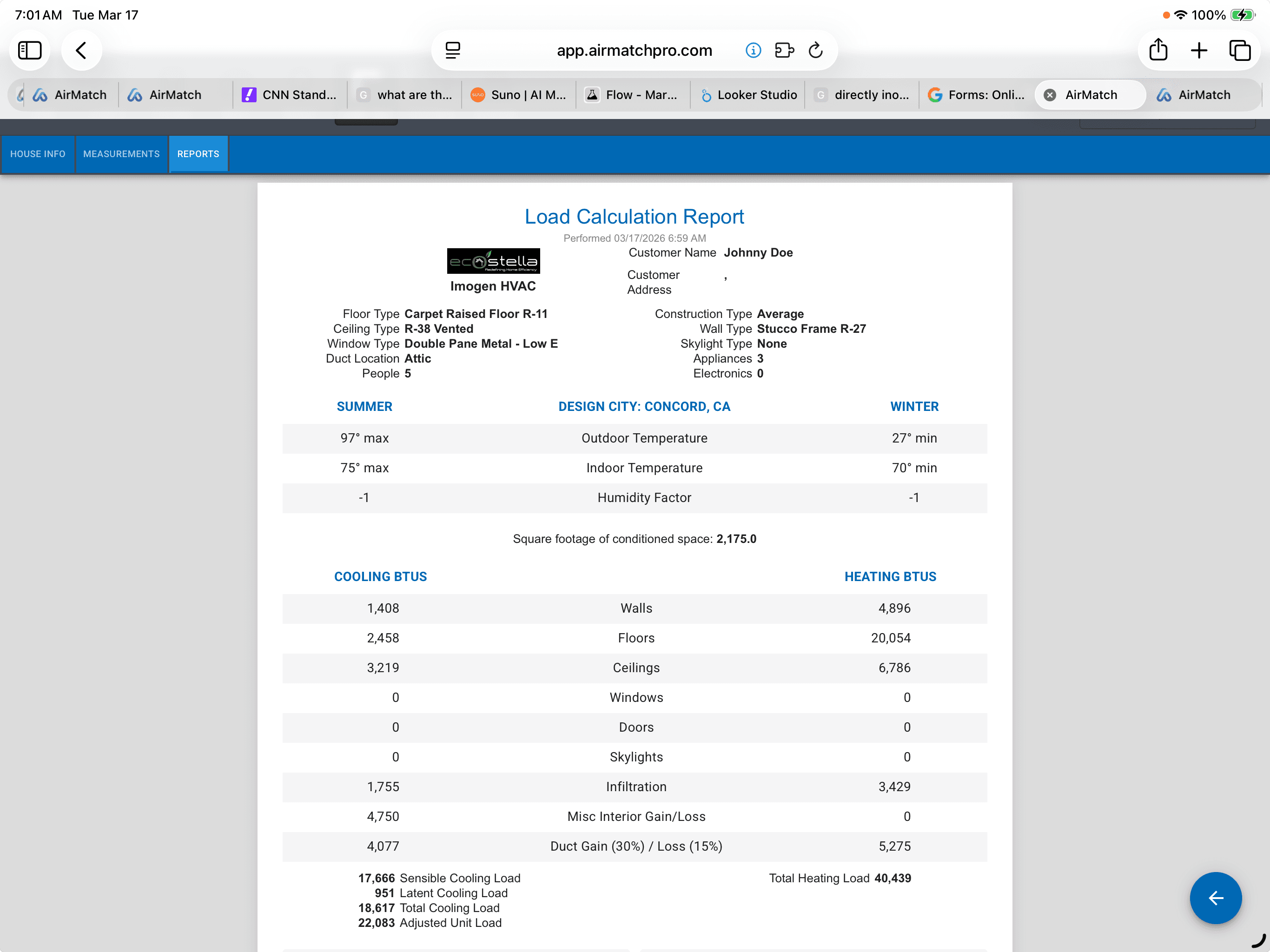
In the house
Scan, measure or key in the rooms while you are standing in them.
In the proposal
The sizing carries into AirMatch and into the job that gets sold.
Download LaserCalc Mobile
Put a load calculation in every truck.
Free to start with a whole-house block load. Pro adds scanning and room-by-room for $49.99.
Questions people ask.
Will LiDAR scanning work on my phone?
LiDAR scanning needs the depth sensor built into iPhone Pro and iPad Pro models. Everything else, camera measuring, manual entry, room-by-room loads and the full report, runs on any iPhone, iPad or Android device.
Is there a limit on how many load calculations I can run?
No. Load calculations are unlimited on both plans. There is no per-calculation charge and no monthly cap, on Free or on Pro.
What does LaserCalc Mobile Pro cost?
Pro is $49.99 and covers LiDAR scanning, camera measuring and room-by-room load calculations. The whole-house block load is available without it.
Does it record which way the windows face?
Yes. A LiDAR scan records the orientation of every window, so solar heat gain is calculated from the direction the house actually faces rather than an assumption.
AirMatch
Size it right, sell it right, run it right.
Managed equipment and Good / Better / Best proposals on the sales side. A full field service platform for scheduling, dispatch, checklists, messages, and invoicing on the other. One record carries every job from first knock to paid.
7 days free. Cancel anytime.